Trello Integration Setup — Catalyst Service Provider
By connecting your Trello board, you’ll be providing the Catalyst team with real-time progress as businesses move through your due diligence pipeline process.
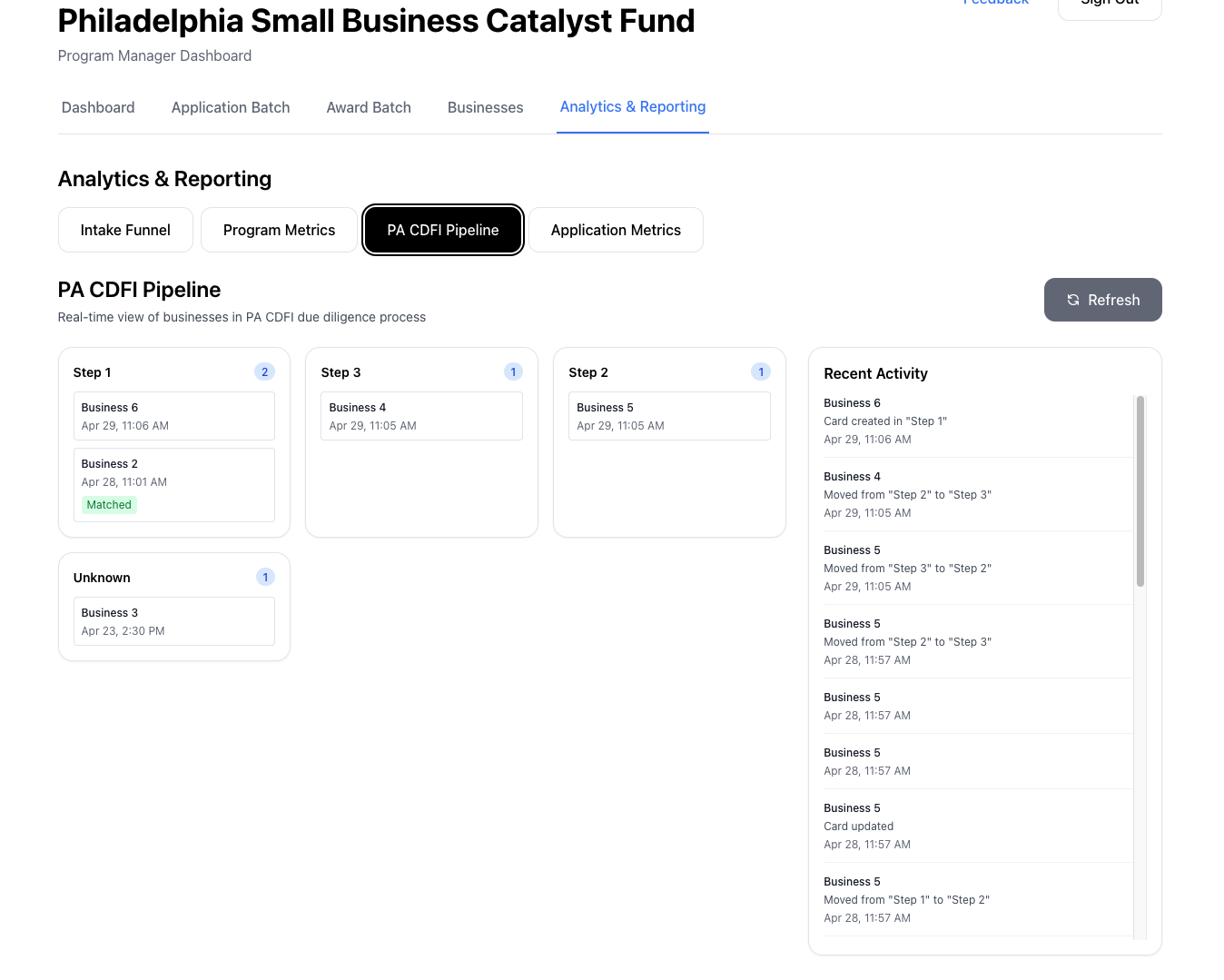
NOTE: This information is never displayed to businesses. This integration exists solely to provide insight to the Catalyst team where a business exists in the process. Nothing further than the name of the business and the step they are in is exposed.
Step 1: Get your Trello API Key and Secret
- Go to https://trello.com/power-ups/admin and log in
- Click create “New”.
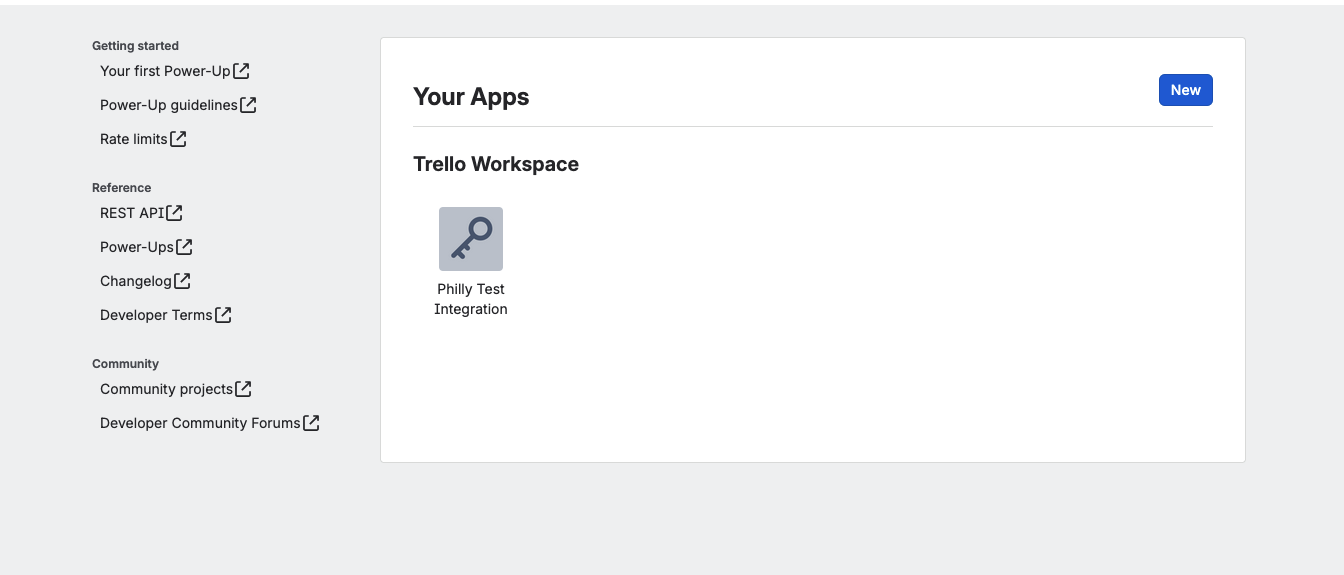
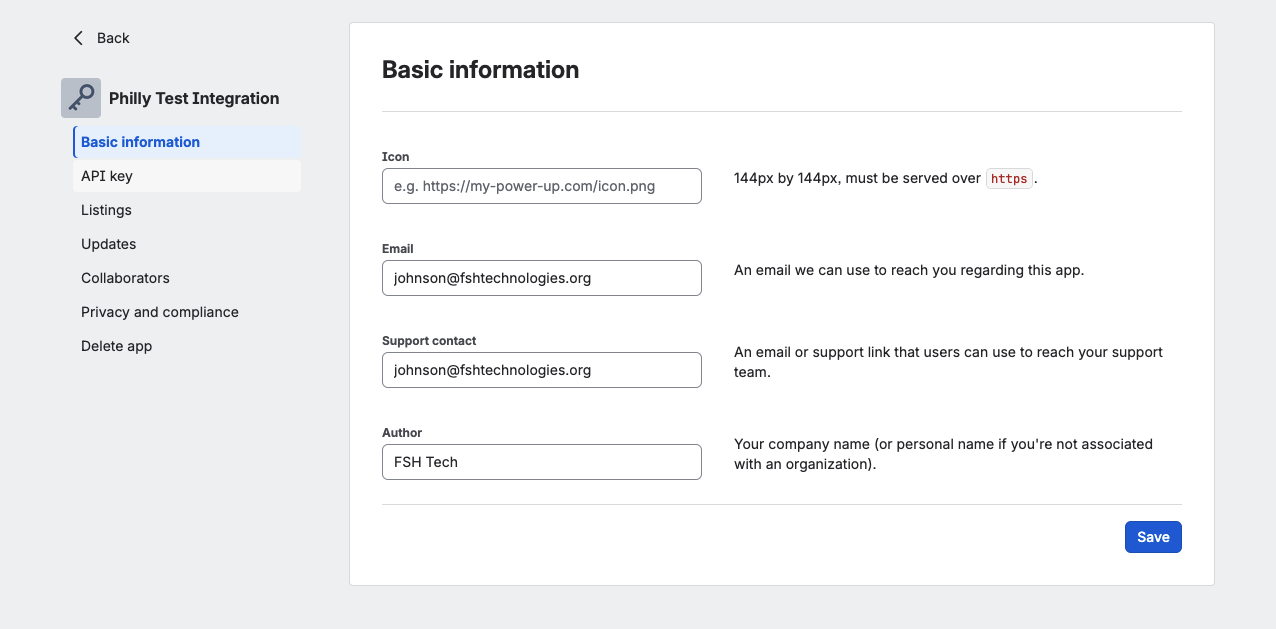
- On the Power-Up’s page, click API Key in the left nav
- Copy your API Key and API Secret — you’ll need both
Step 2: Generate a Trello Token
- From the same API Key page, click the “Token” link next to your API Key
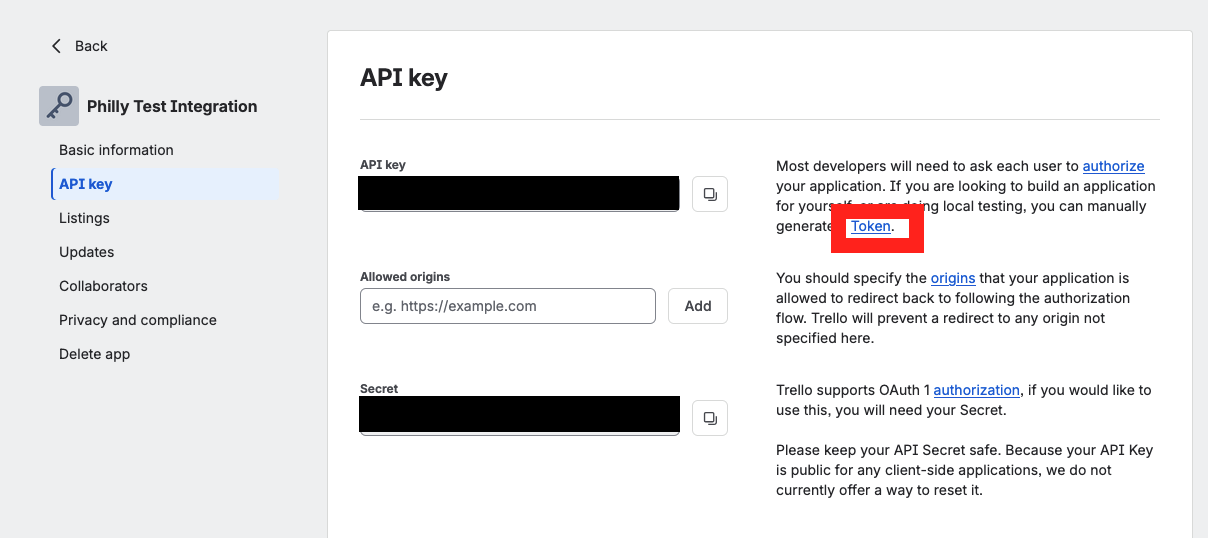
- Trello will ask you to authorize access — click Allow
- Copy the long token string that appears
Step 3: Find your Board ID
- Open your Trello board in the browser
- Look at the URL:
https://trello.com/b/BOARD_ID/your-board-name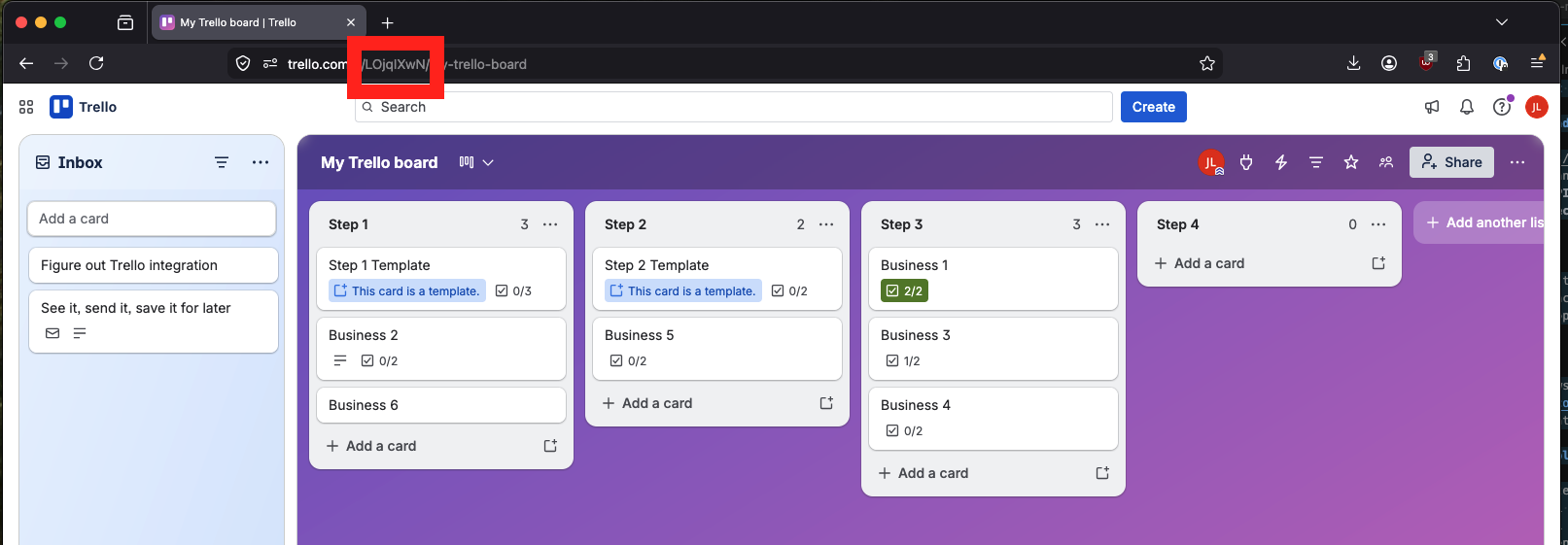
- Copy the short alphanumeric segment after
/b/— that’s your Board ID
Step 4: Enter credentials in the platform
- Log in to the platform and navigate to your program’s Settings page
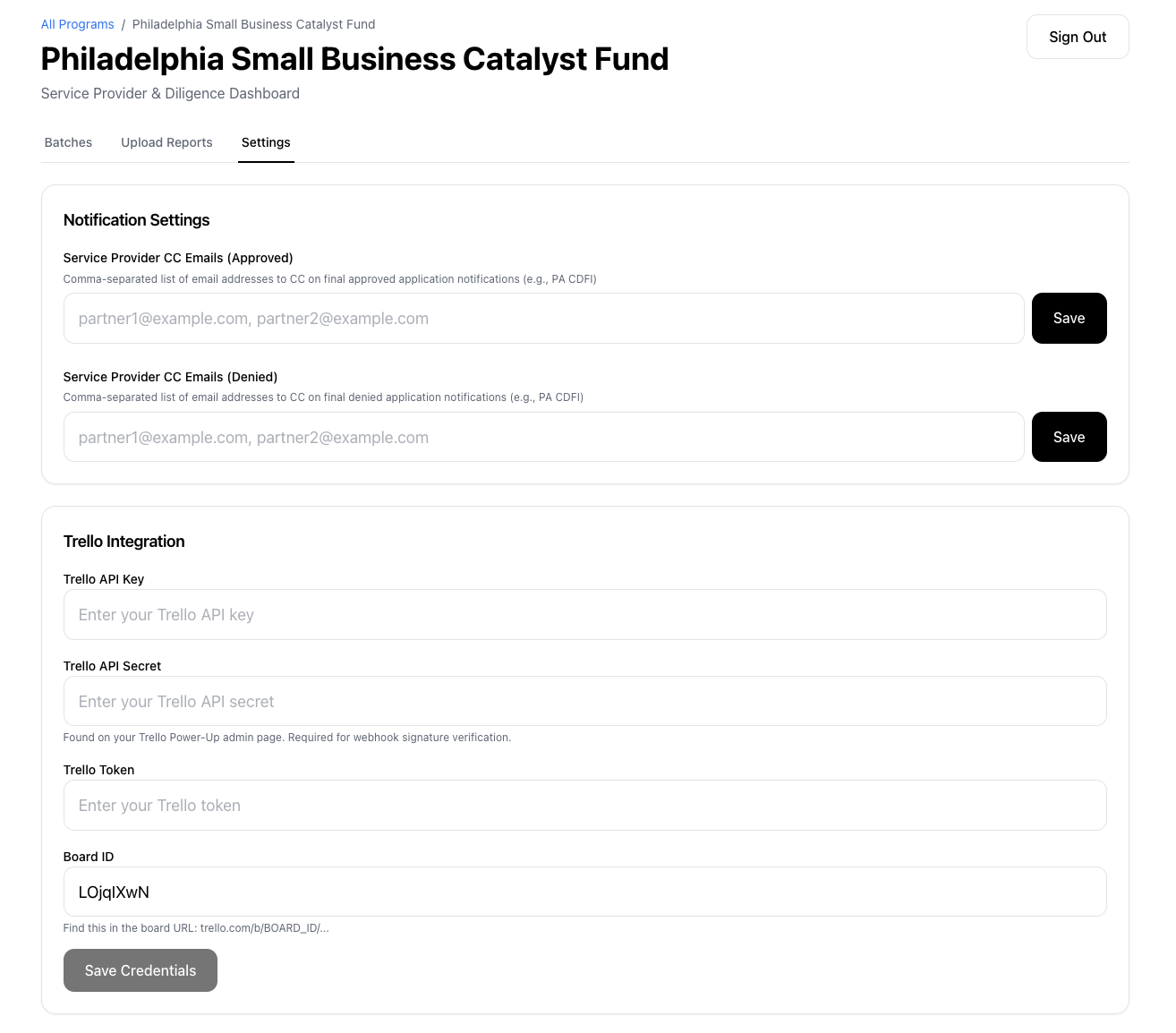
- Under Trello Integration, fill in:
- Trello API Key — from Step 1
- Trello API Secret — from Step 1 (found on the Power-Up admin page)
- Trello Token — from Step 2
- Board ID — from Step 3
- Click Save Credentials
- A green indicator will confirm credentials are configured
Step 5: Enable the Webhook
- Once credentials are saved, the Webhook section will appear below
- Click Enable Webhook
- The status indicator will turn green showing Webhook active
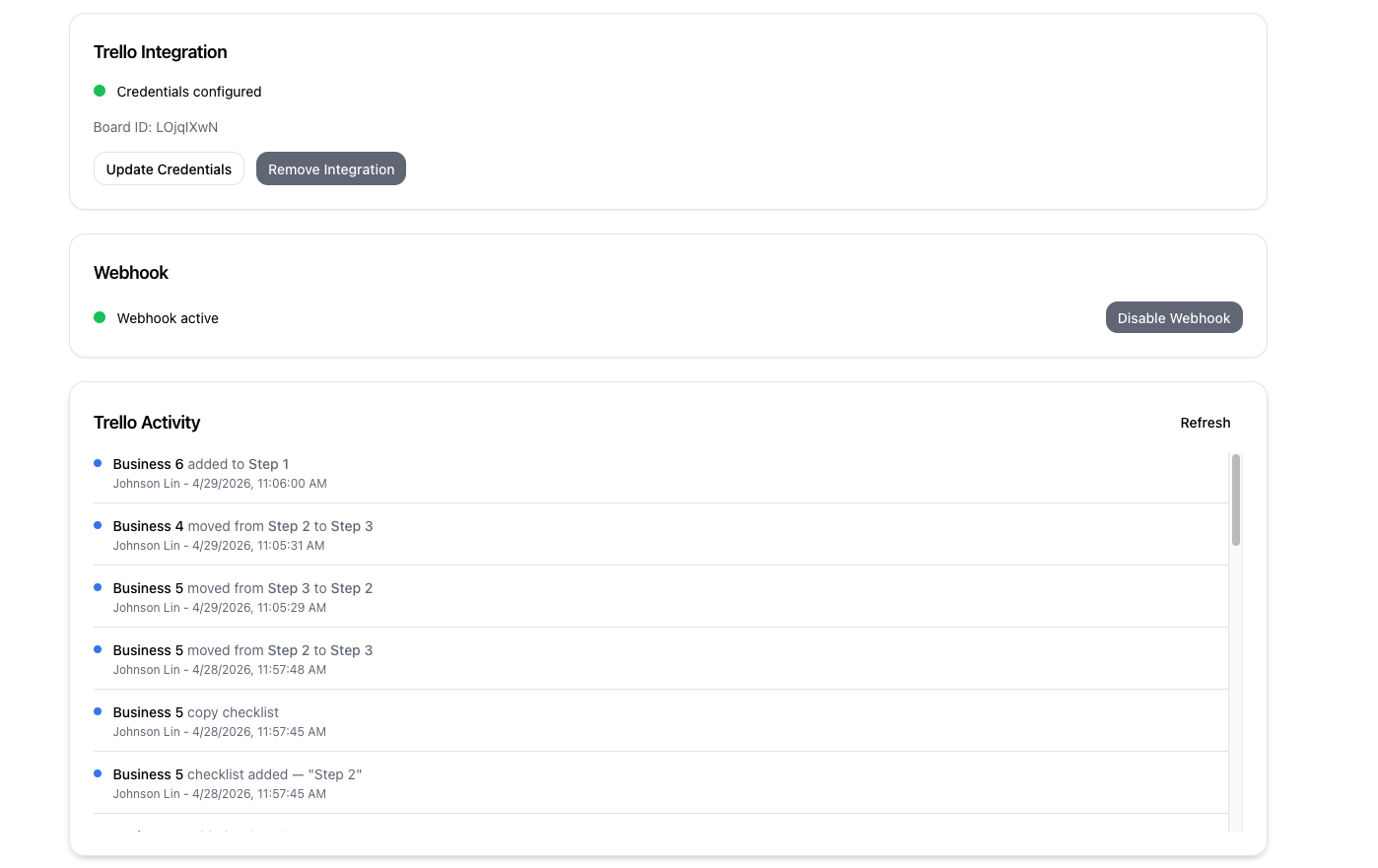
The webhook connects your Trello board to the platform — card movements between lists will be tracked automatically and visible in the Trello Activity feed on the settings page.